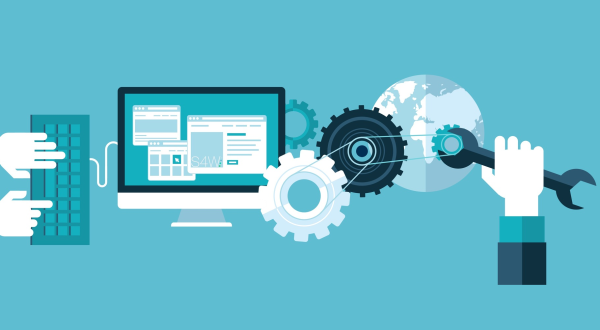
WordPress maintenance comes down to a handful of recurring tasks: keep core, themes, and plugins updated; run and verify backups; monitor security and performance; and clean up your database and content regularly. Skip these and a healthy site slowly drifts toward slow, vulnerable, and broken. This checklist organizes everything into weekly, monthly, and quarterly routines so your site stays fast and secure all year.
Why WordPress Maintenance Matters
A WordPress site is not a “set it and forget it” asset. It is built from constantly evolving parts, core software, themes, plugins, and a database, and each one needs attention to keep working well together. Neglect creates compounding problems: outdated plugins become security holes, unoptimized content slows pages down, and small errors pile up until something breaks.
Regular maintenance prevents all of that. It keeps your site secure against the automated attacks that target outdated WordPress installs, fast enough to convert visitors and satisfy search engines, and reliable so you are not firefighting emergencies. Think of it as inexpensive insurance against expensive failures. Here is exactly what to do, and how often.
Weekly WordPress Maintenance Tasks
These quick checks catch problems early, before they grow.
- Apply updates. Update WordPress core, themes, and plugins promptly, ideally after a backup. Outdated software is the leading cause of security issues.
- Verify backups ran. Confirm your automated backups completed successfully and are stored off-site, not just on the same server.
- Check the site is live and working. Load your homepage and key pages to confirm nothing is broken, and test critical functions like forms and checkout.
- Review security alerts. Scan your security plugin’s notifications for suspicious activity and act on anything flagged.
- Moderate comments and spam. Clear spam and respond to legitimate comments to keep your site clean and engaged.
Monthly WordPress Maintenance Tasks
A deeper monthly pass keeps performance and content in good shape.
- Test performance. Run your key pages through a Core Web Vitals tool and confirm load times are still strong. If they have slipped, our guide to speeding up a WordPress website shows how to recover them.
- Clean the database. Remove post revisions, trashed items, spam, and expired transients to keep queries fast and the database lean.
- Optimize new images. Compress and correctly size any images added over the month so they do not bloat your pages.
- Check for broken links. Find and fix broken internal and external links, which hurt both user experience and SEO.
- Review user accounts. Remove unused accounts and confirm each user has only the access they need, fewer admin accounts means less risk.
- Audit plugins. Deactivate and delete any plugin you are no longer using; unused code is a needless liability.
Quarterly WordPress Maintenance Tasks
Every few months, step back for a bigger-picture review.
- Run a full security review. Confirm strong passwords and two-factor authentication, firewall protection, and SSL are all in place. Our guide to WordPress security covers a complete hardening checklist.
- Test your backup restore. A backup you have never restored is an unproven backup. Confirm you can actually recover your site from it.
- Review hosting and performance headroom. Check whether your hosting still fits your traffic, and whether response times are holding up under load.
- Audit content. Update outdated information, refresh underperforming pages, and prune content that no longer serves a purpose.
- Check mobile experience. Confirm your site still looks and performs well on phones, where most of your traffic likely arrives.
- Review SEO essentials. Confirm titles, meta descriptions, and structured data are intact, and check search performance for any drops.
A Quick At-a-Glance Maintenance Schedule
If you remember nothing else, remember this rhythm:
- Weekly: updates, backup verification, uptime and function checks, security alerts, spam.
- Monthly: performance testing, database cleanup, image optimization, broken-link checks, user and plugin audits.
- Quarterly: full security review, backup restore test, hosting review, content audit, mobile and SEO checks.
Consistency matters more than perfection. A modest routine you actually follow beats an exhaustive plan you abandon after a month.
Should You Maintain WordPress Yourself or Hire Help?
Many of these tasks are straightforward, and a hands-on owner can handle the basics. But maintenance becomes a real time commitment, and some tasks, like recovering from a bad update, restoring a hacked site, or diagnosing a performance regression, reward experience.
Consider professional maintenance if:
- Your site is business-critical and downtime costs you money.
- You lack the time or confidence to keep up a consistent routine.
- You have run into security or performance issues before.
- You would rather focus on your business than on technical upkeep.
A managed maintenance arrangement turns an unpredictable chore into a reliable, hands-off service, and it usually costs far less than fixing the problems that neglect eventually creates.
Frequently Asked Questions
How often should I update WordPress?
Apply updates promptly, ideally weekly or as soon as they are available, after taking a backup. Security updates in particular should not wait, since outdated software is the most common way sites get compromised.
What happens if I don’t maintain my WordPress site?
Over time, an unmaintained site tends to become slower, less secure, and more prone to breaking. Outdated plugins create security holes, bloat drags down performance, and small errors accumulate until something fails, often at the worst possible moment.
How long does WordPress maintenance take each month?
It varies with the size and complexity of the site, but a typical small business site needs only a few hours a month spread across weekly checks and a deeper monthly pass. Larger or e-commerce sites usually need more, which is where managed maintenance pays off.
Ready to Keep Your Site Fast and Secure, Effortlessly?
If keeping up with WordPress maintenance feels like one job too many, you do not have to do it alone. WikiSEO offers ongoing maintenance that handles updates, backups, security, and performance for you, so your site stays fast, secure, and reliable while you focus on growth. Our Web Development team monitors your site, applies the right fixes proactively, and keeps everything running smoothly.
Contact us today and message our team on WhatsApp or Telegram. Tell us about your site, and we will put together a maintenance plan that keeps it in peak condition all year.